
Get the 4KFlexHub Player
Our own player for Fire TV, Android TV and Android phones. Live TV with a TV guide, catch-up, movies and series, and “Continue watching”. Add your playlist from your phone in seconds.
On an Android phone or box? Download the app directly.
Install the 4KFlexHub Player step by step
The pictures show a Fire TV. On Android TV and Google TV the steps are the same.
Install the Downloader app
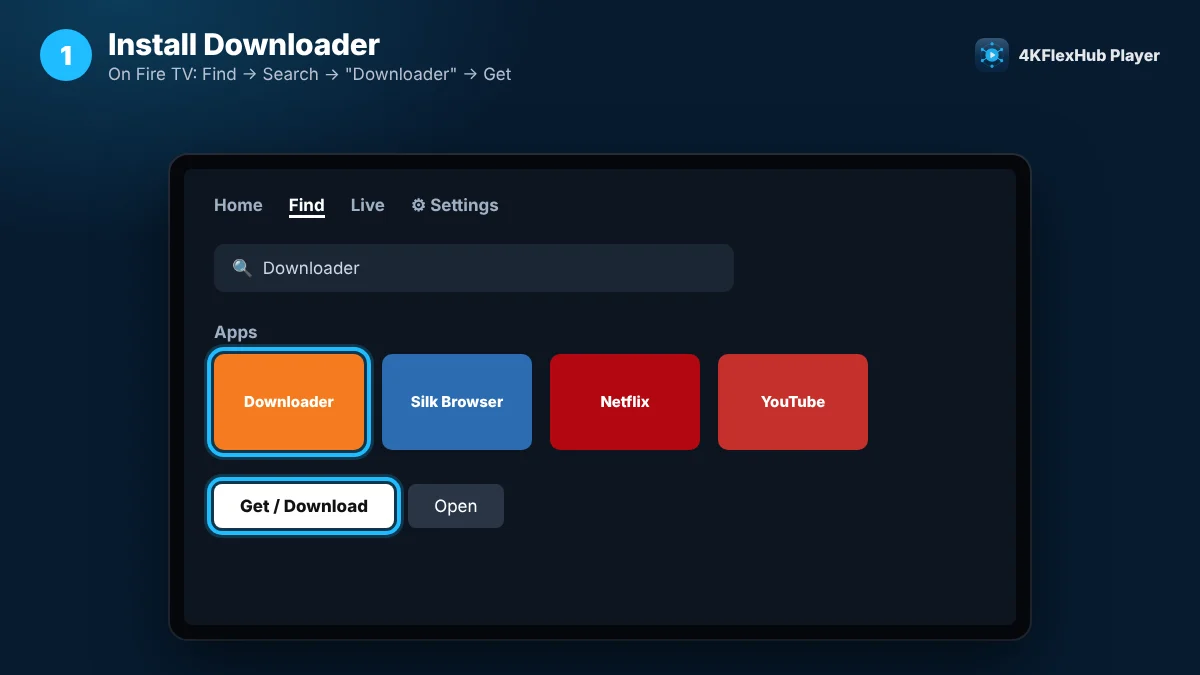
- Press Home on your remote and go to Find → Search.
- Type Downloader and select the orange Downloader app.
- Select Get or Download, then Open.
Enter the code 5669139
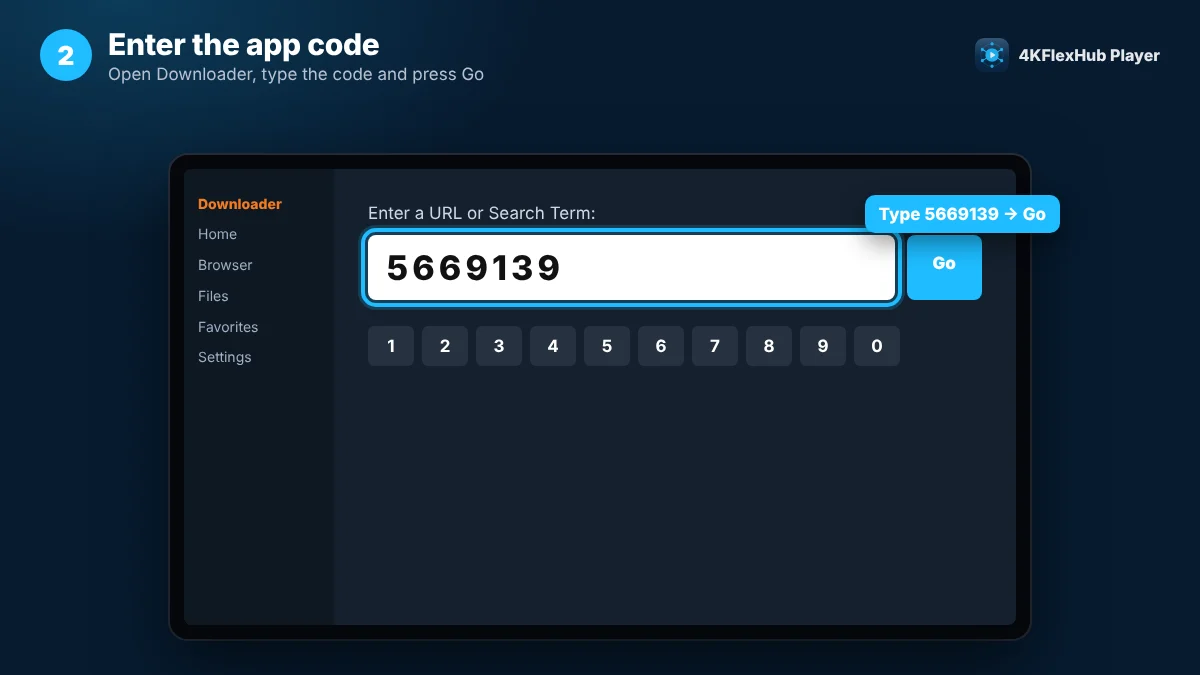
- In Downloader, select the box Enter a URL or Search Term.
- Type 5669139 with the on-screen keyboard.
- Select Go. The download starts by itself.
Install the player
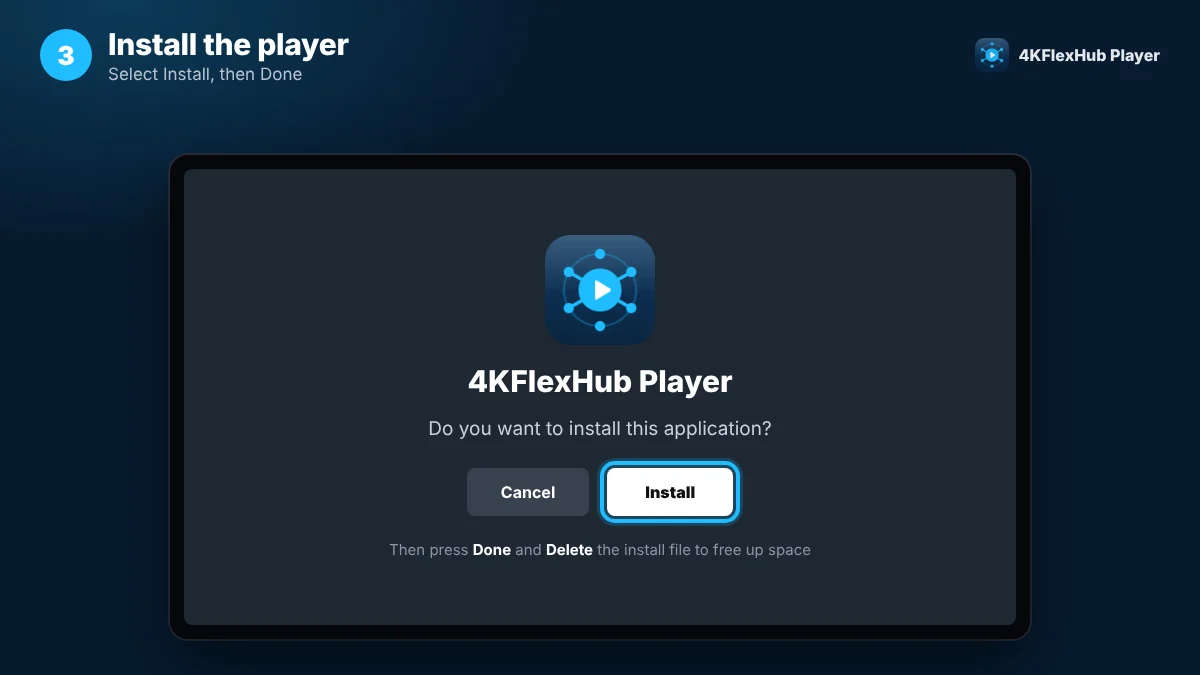
- When asked “Do you want to install this application?”, select Install.
- Select Done, then Delete the install file to free up space.
Open the app and choose how to sign in
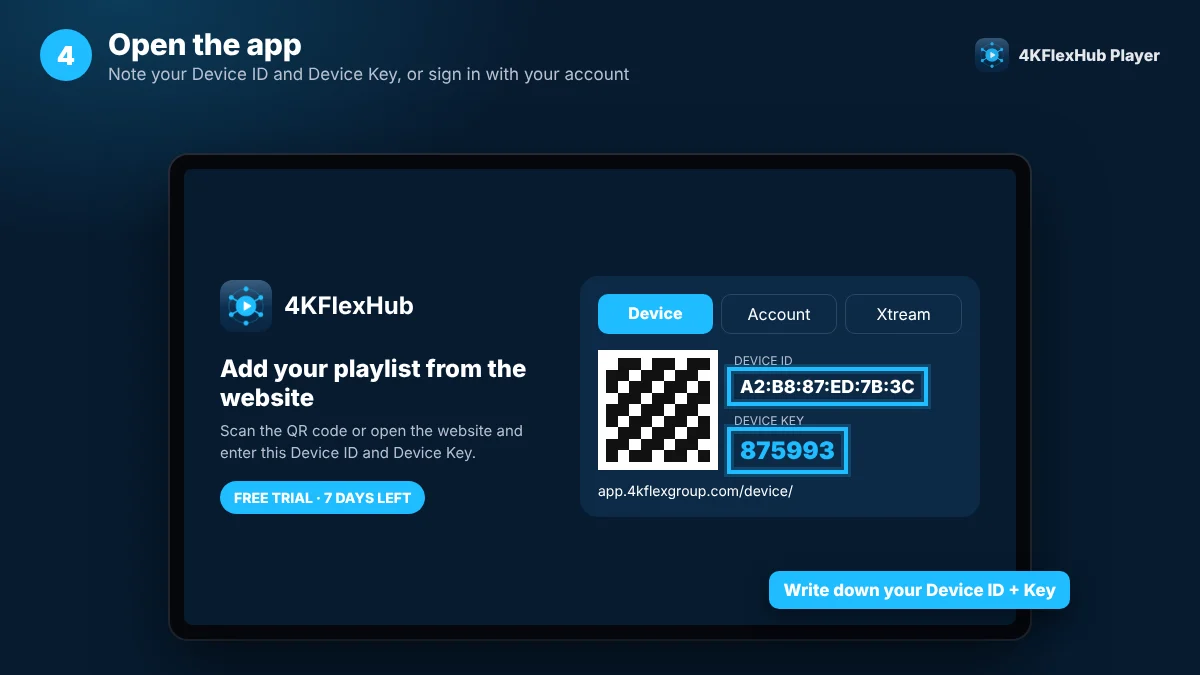
Find 4KFlexHub Player under Apps (tip: move it to your Home row). The first screen shows your Device ID and Device Key. Choose one of the three ways below.
Add your playlist from your phone
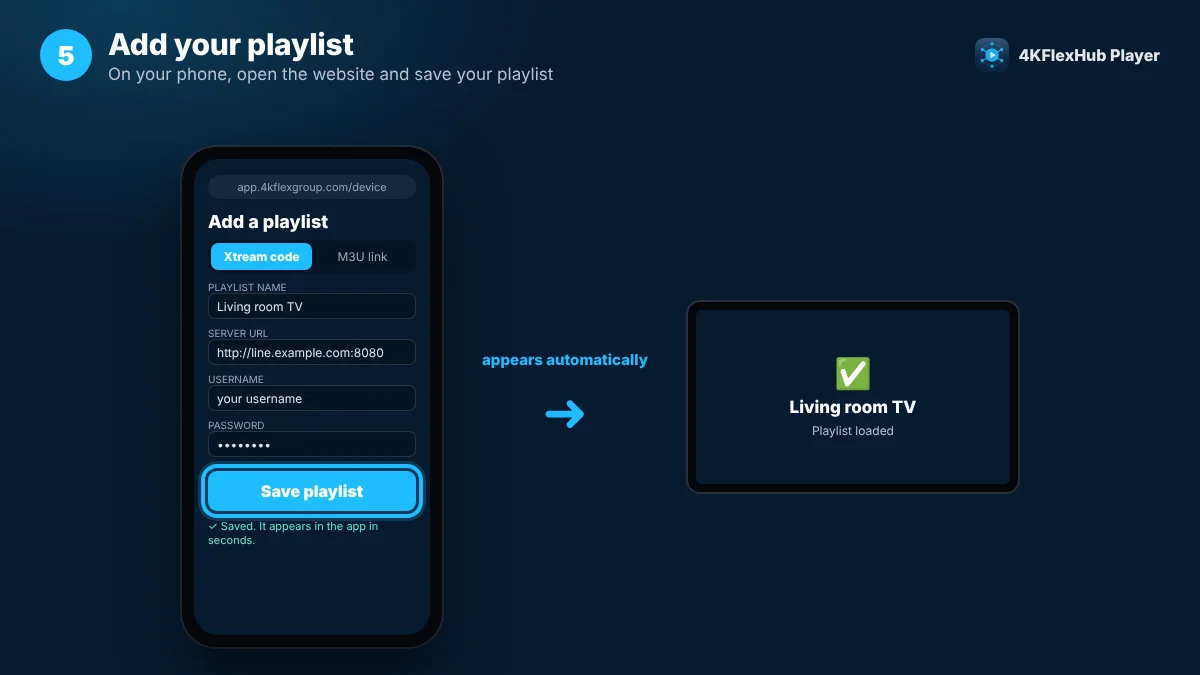
- On your phone, scan the QR code on the TV or open app.4kflexgroup.com/device/.
- Enter the Device ID and Device Key from your TV.
- Choose Xtream code (server, username, password) or M3U link, then Save playlist.
Start watching
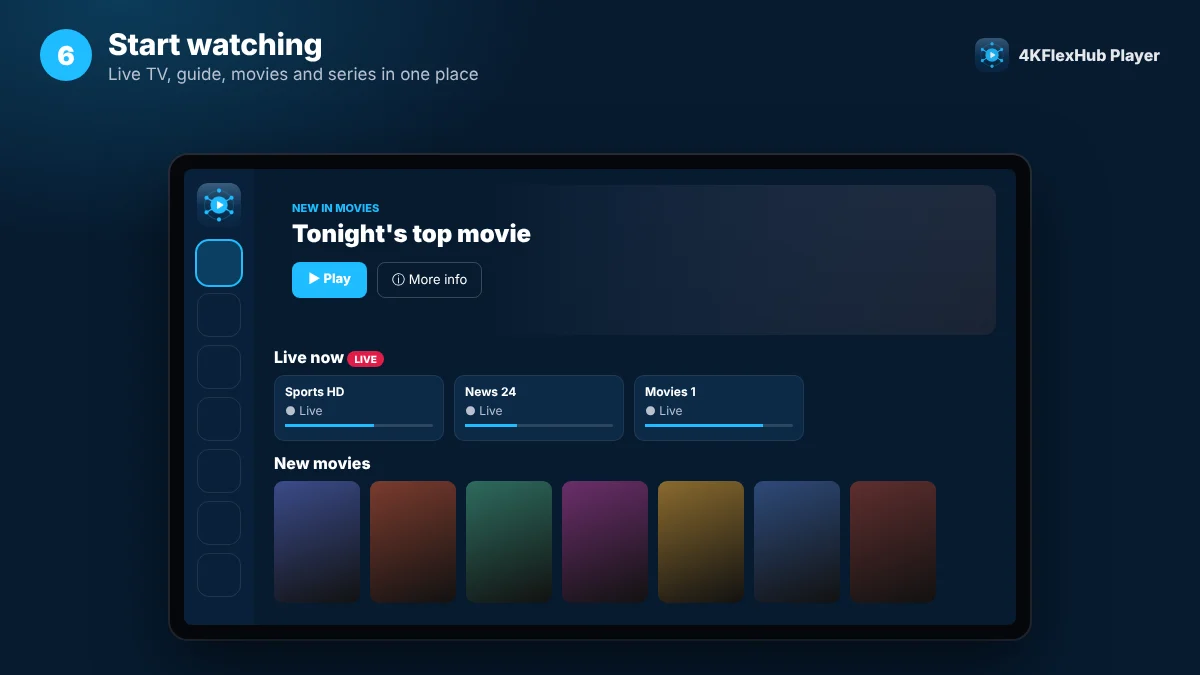
Use the menu on the left: Home, Search, Live TV, Guide, Movies, Series, Favourites and Account. On Live TV, press OK once for a preview and again for full screen.
3 ways to sign in
Pick the one that fits you. You can switch later on the app’s Account page.
Sign in with the email and password of your 4KFlexHub account. Your subscription loads by itself and the app is free.
Forgot your password?Add, edit or remove playlists on the Manage Device page from your phone or computer.
Enter the server URL, username and password from your provider directly on the TV.
What you get
Built for the big screen and the remote, and it works on phones too.
Live TV + preview
Channel list with what’s on now and a live preview.
TV guide
A clear 3-hour guide grid with a red “now” line.
Catch-up
Watch shows you missed, when your channel supports it.
Continue watching
Movies and episodes resume where you stopped.
One search
Find channels, movies and series in one place.
Favourites
Your channels first on the Home screen.
Questions
Still stuck? Contact our support team.
Which devices does the app work on?
Amazon Fire TV Stick, Fire TV Cube and Fire TV smart TVs, Android TV and Google TV boxes and TVs, and Android phones and tablets. The Fire TV Stick 4K Select uses Amazon’s new Vega OS, which cannot install apps from Downloader, so use another app there or an Android-based device.
Is the app free?
Yes for 4KFlexHub customers: sign in on the Account tab with your 4KFlexHub email and password and you never pay for the app. Using a playlist from another provider? You get a 7-day free trial on each device first.
Downloader says the app can’t be installed
Allow Downloader to install apps: on Fire TV go to Settings → My Fire TV → Developer options → Install unknown apps and turn Downloader On. If you can’t see Developer options, open Settings → My Fire TV → About and press OK on your device name 7 times.
Google Play Protect shows a warning
Android may warn about apps installed outside the Play Store. Select More details → Install anyway. The 4KFlexHub Player is our own app and only connects to your playlist.
Where do I find my Device ID and Device Key?
On the first screen of the app (Device tab) and later on the app’s Account page. Keep them private: anyone with both can change the playlists on your TV.
How do I update the app?
Open Downloader and enter 5669139 again, then select Install. Your playlists and favourites stay.
Don’t have a subscription yet?
Try 4KFlexHub first, then watch everything in the 4KFlexHub Player.